Logging Out Of Account
How to Log Out of Your Savannah Bee Account
To keep your account secure and manage your profile, it’s important to know how to log out when you’re finished shopping.
Step-by-Step Guide to Logging Out
-
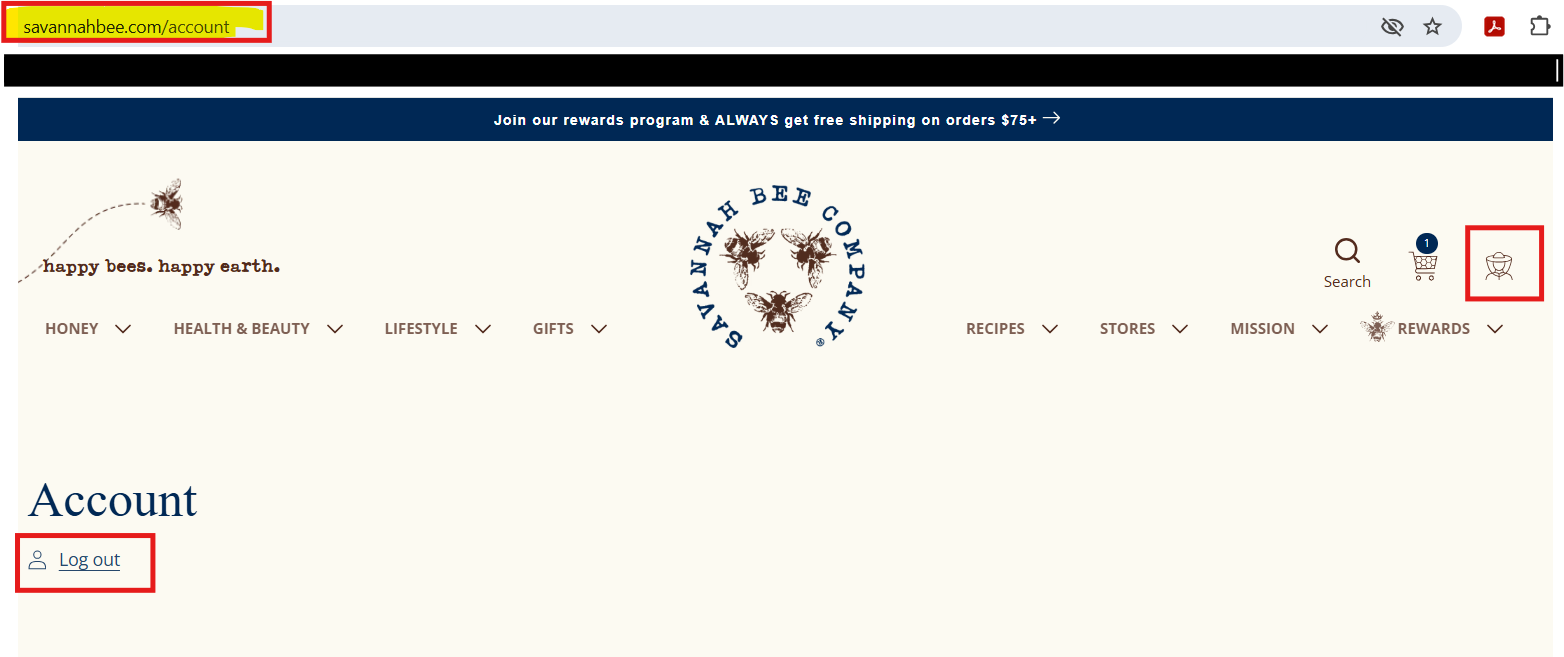
Go to Your Account Page
Visit savannahbee.com/account or click the beekeeper icon located in the top right corner of the website header. This icon represents your account.
-
Find the Log Out Link
On the account page, you will see a “Log out” link—usually on the left side under your account details.
-
Click “Log out”
Simply click the Log out link to safely sign out of your account.
What Does the Beekeeper Icon Mean?
The beekeeper icon at the top right of the page is your shortcut to account-related features. Clicking it will take you to your account dashboard where you can:
- View or update your profile
- Check order history
- Manage payment methods
- Log out securely